
Download DocJuris – AI Contract Review, Fast & Secure
Overview of DocJuris
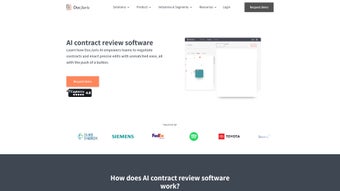
In the high‑velocity world of modern business, legal teams are under relentless pressure to review contracts quickly while preserving absolute accuracy. DocJuris meets this demand by delivering an AI‑driven contract review platform that combines sophisticated natural‑language processing with a clean, web‑based interface. Users can drag‑and‑drop a contract in PDF, DOCX, or plain‑text format, and within seconds the system generates a visual heat‑map that pinpoints high‑risk clauses, missing signatures, and ambiguous language.
Beyond the core analysis, DocJuris offers a shared clause library, customizable AI playbooks for various agreement types, and real‑time collaboration tools that let multiple stakeholders comment, edit, and approve documents simultaneously. By automating repetitive review tasks, the software reduces manual errors, shortens the signing cycle, and frees lawyers to concentrate on strategic negotiations. Whether you are a solo practitioner, a midsize corporate legal department, or a global enterprise handling thousands of contracts, DocJuris scales to meet the workload while providing a secure, cloud‑based environment that complies with GDPR, ISO‑27001, and SOC 2 data‑protection standards.
The platform’s blend of speed, intelligence, and collaboration makes it a compelling choice for any organization seeking to modernize its contract lifecycle management process.
Key Features, Benefits, and Drawbacks
- AI‑Powered Contract Screening: Instantly detects high‑risk clauses, missing elements, and ambiguous language across multiple file formats.
- Heatmap Visualization: Color‑coded heatmaps overlay the document, allowing users to see risk concentration at a glance.
- Document Comparison Engine: Side‑by‑side version comparison with automatic change tracking and risk scoring.
- Real‑Time Collaboration: Multiple users can comment, suggest edits, and lock sections, all tracked via an immutable audit trail.
- AI Playbooks & Clause Library: Pre‑built playbooks for NDAs, SaaS agreements, procurement contracts, plus a searchable repository of vetted clauses.
- Automated Drafting Suggestions: Generates clause language aligned with your organization’s standards and prior negotiations.
- Secure Cloud Storage & Encryption: End‑to‑end TLS 1.3 encryption, AES‑256 at rest, role‑based access, and compliance certifications.
- Integration Friendly: Connects with SharePoint, Box, Google Drive, and e‑signature providers like DocuSign and Adobe Sign.
- Continuous Learning Model: The AI refines its recommendations as more contracts are processed, improving accuracy over time.
- Custom Reporting & Analytics: Export risk dashboards, clause usage statistics, and compliance reports in CSV or PDF.
Pros
- Lightning‑fast AI analysis with visual heatmaps that dramatically cut review time.
- Robust collaboration features enable simultaneous editing and secure comment threads.
- Extensive clause library and customizable playbooks promote consistent contract language.
- High‑level security with encryption, role‑based controls, and industry‑standard certifications.
- Seamless integrations with major DMS and e‑signature platforms reduce workflow friction.
Cons
- Initial configuration of AI playbooks may require input from senior legal staff.
- Advanced analytics dashboards are limited to higher‑tier subscription plans.
- Dependence on a stable internet connection for cloud‑based processing.
Overall Rating: 4.5/5 – DocJuris delivers a powerful mix of AI insight and collaborative functionality that is hard to match in the contract‑review space. While the learning curve for playbook configuration exists, the long‑term efficiency gains far outweigh the initial investment.
Installation, Usage, and Compatibility Details
Step‑by‑Step Installation
- Navigate to the official DocJuris website and click the Download button for your operating system (Windows, macOS, or Linux). Because the platform is web‑based, the download creates a secure desktop shortcut that opens the web app.
- Run the installer; the wizard prompts you to set a local cache location (optional) and choose default cloud storage.
- Create a free trial account or enter your purchased license key. Activation validates your credentials against DocJuris’s cloud servers.
- During first‑time setup, connect to your preferred cloud storage (OneDrive, Google Drive, etc.) and configure role‑based permissions for your team.
- Import an existing clause library or start with the built‑in templates. Enable AI playbooks for specific contract types as needed.
Everyday Usage Workflow
After installation, using DocJuris is straightforward. To review a contract, click Upload Document, select the file, and let the AI scan it—typically under 30 seconds for a 30‑page agreement. The heatmap appears on the right side of the screen, while a sidebar lists identified risks with severity scores. Clicking any highlighted clause opens a detailed explanation, suggested edits, and the option to accept or reject each recommendation.
Collaboration is seamless: invite teammates by entering their email addresses; they receive a secure link and can add comments, suggest alternative language, or lock sections once approved. All changes are logged in an immutable audit trail, ensuring compliance with internal governance policies. When the review is complete, export the final version as a PDF or send it directly to an integrated e‑signature platform for signing. The entire process—from upload to execution—can be completed in a fraction of the time required for manual review, delivering measurable efficiency gains for legal departments.
DocJuris is a cloud‑native web application, meaning it runs on any modern browser (Chrome, Edge, Firefox, Safari) across Windows 10/11, macOS 11+, and popular Linux distributions. Dedicated desktop shortcuts are provided for Windows and macOS for users who prefer a native‑like experience. Mobile access works via responsive design on iOS and Android browsers, though full editing features are optimized for desktop environments.
Frequently Asked Questions
Is DocJuris suitable for small law firms?
Yes. DocJuris offers a tiered pricing model that includes a free trial and a starter plan designed for small teams. Core AI screening and heatmap features are available across all plans, making it an affordable option for solo practitioners and boutique firms.
How does DocJuris ensure data privacy?
All documents are encrypted in transit (TLS 1.3) and at rest (AES‑256). Access is controlled through role‑based permissions, and the platform complies with GDPR, ISO‑27001, and SOC 2 standards. For highly regulated environments, on‑premise storage can be enabled.
Can DocJuris integrate with my existing e‑signature solution?
Absolutely. DocJuris provides native integrations with DocuSign, Adobe Sign, and HelloSign. After a contract is reviewed and approved, you can send it directly to the chosen e‑signature provider with a single click.
What training resources are available for new users?
DocJuris offers an extensive knowledge base, video tutorials, and live webinars. Premium customers also receive personalized onboarding sessions and a dedicated support manager.
Is there a free version or trial period?
Yes. New users can start a 14‑day free trial with full access to all core features. No credit card is required, allowing you to evaluate the platform risk‑free.
Conclusion & Call to Action
In an era where speed and accuracy are paramount, DocJuris stands out as a comprehensive AI‑driven contract review solution that empowers legal teams to work smarter, not harder. By automating risk detection, standardizing language through playbooks, and enabling seamless collaboration, the software reduces turnaround times and minimizes costly errors. Whether you’re a solo attorney, a midsize corporate counsel, or part of a global legal operation, DocJuris scales to meet your needs while maintaining rigorous security and compliance standards.
Ready to experience faster, more reliable contract reviews? Download DocJuris now and start your free trial today. Transform the way your organization handles agreements, improve strategic insight, and stay ahead of legal risks—all with a single, secure platform.



.png)



